

What's for dinner?
The Question I Was So Tired of Answering

Between asking myself and being asked by the 4 other faces in my house, “What’s for dinner?” was absolutely going to be the question that sent me over the edge. Somehow, every single night, I was standing in my kitchen at 5 pm with zero answers, a fridge full of ingredients, and no willpower left to make anything.
The breakthrough for me wasn’t realizing I was tired of the question. It was realizing I was tired of what the question implied. We hear a lot about mental load, and every time someone asked “What’s for dinner?” what I actually heard was: nobody remembered what I already said, I had no idea myself, I was missing something at the store, or worst of all I had nothing left in the tank to make it happen.
So I built something.
Meet The Everything Meal Planner — a meal planning system I built inside Notion with the help of a few too many hours on the Notion subreddit.
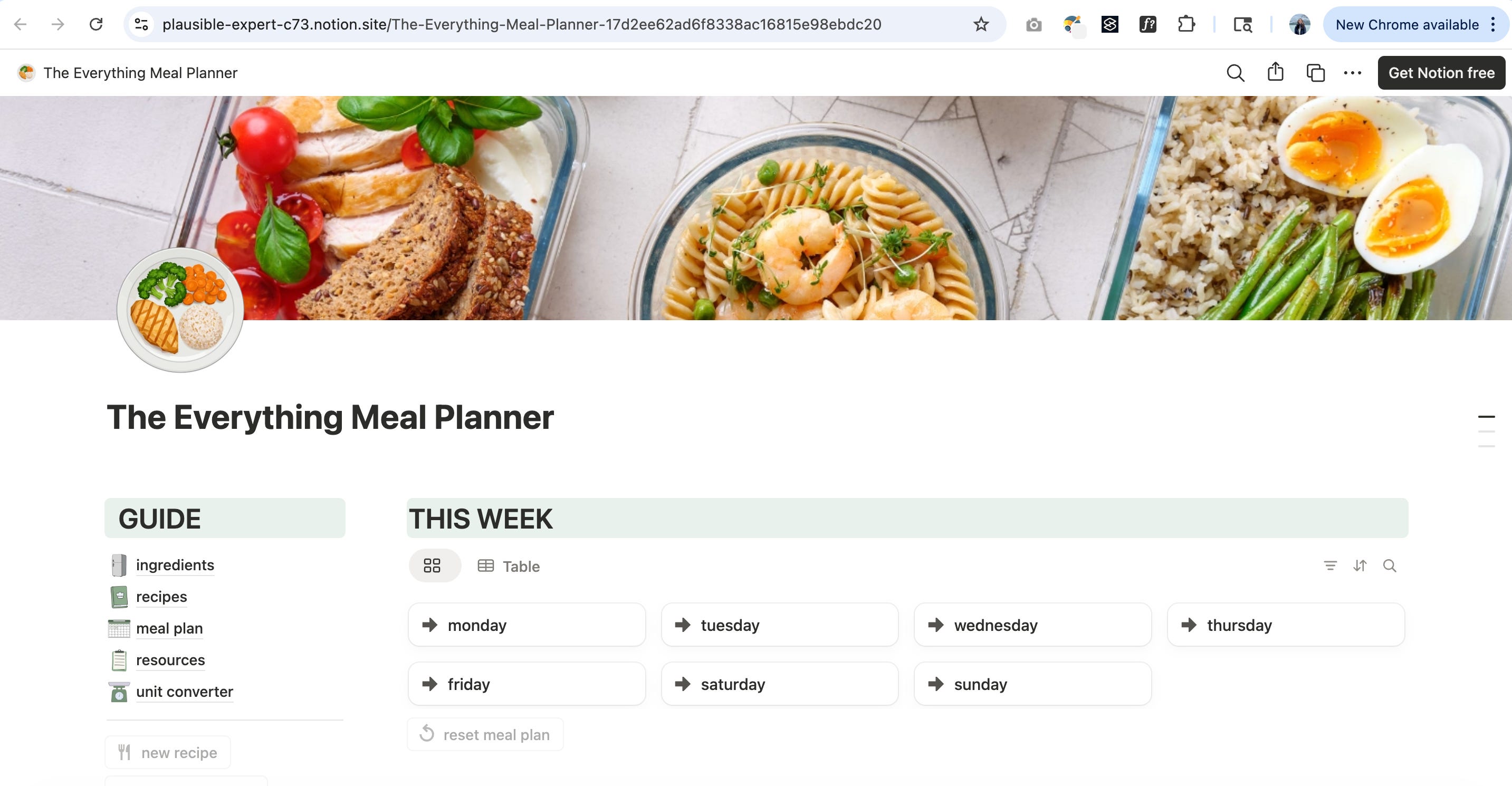
This is how I finally got dinner out of my head and into a system.
Here’s how it works:
You plan your meals for the week, and your grocery list builds itself. Every ingredient is tied to every recipe, and if you want, you can sort it by where you buy it. No more praying you remembered everything, scanning a notes app list, or calling your partner from the aisle, trying to remember if you already have hoisin sauce at home. (You do. You actually have 5.)


There are two views inside the ingredients database. The grocery list that shows you everything you currently need to make your meals for the week, and the all ingredients view, your full inventory. This is where you update what you actually have at home.
This does involve some inventory management on your end, but if you normally do this in your head once you are used to the tracker I promise it’s a game changer.
If the list makes itself, there has to be a place for all your recipes, and there is. You’re only limited by how many you want to add. Entrees, sides, snacks, or things grouped as a full meal, because you always make broccoli with chicken wraps, so you may as well just make that the recipe.
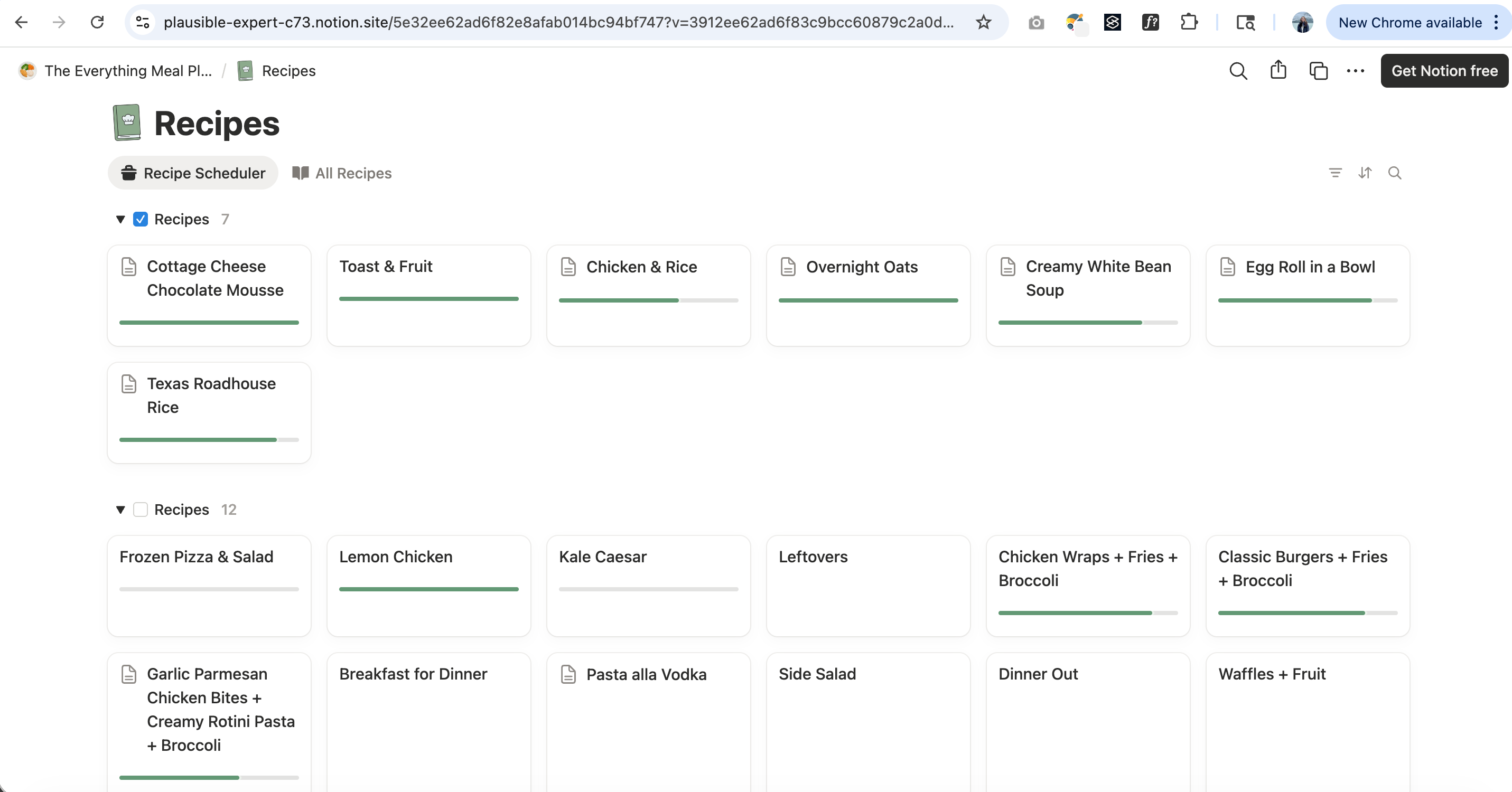
The recipes with a checkmark are the ones you're pulling from that week, that's how your list gets made. The green bar is a visualizer for how many ingredients you already have in stock.
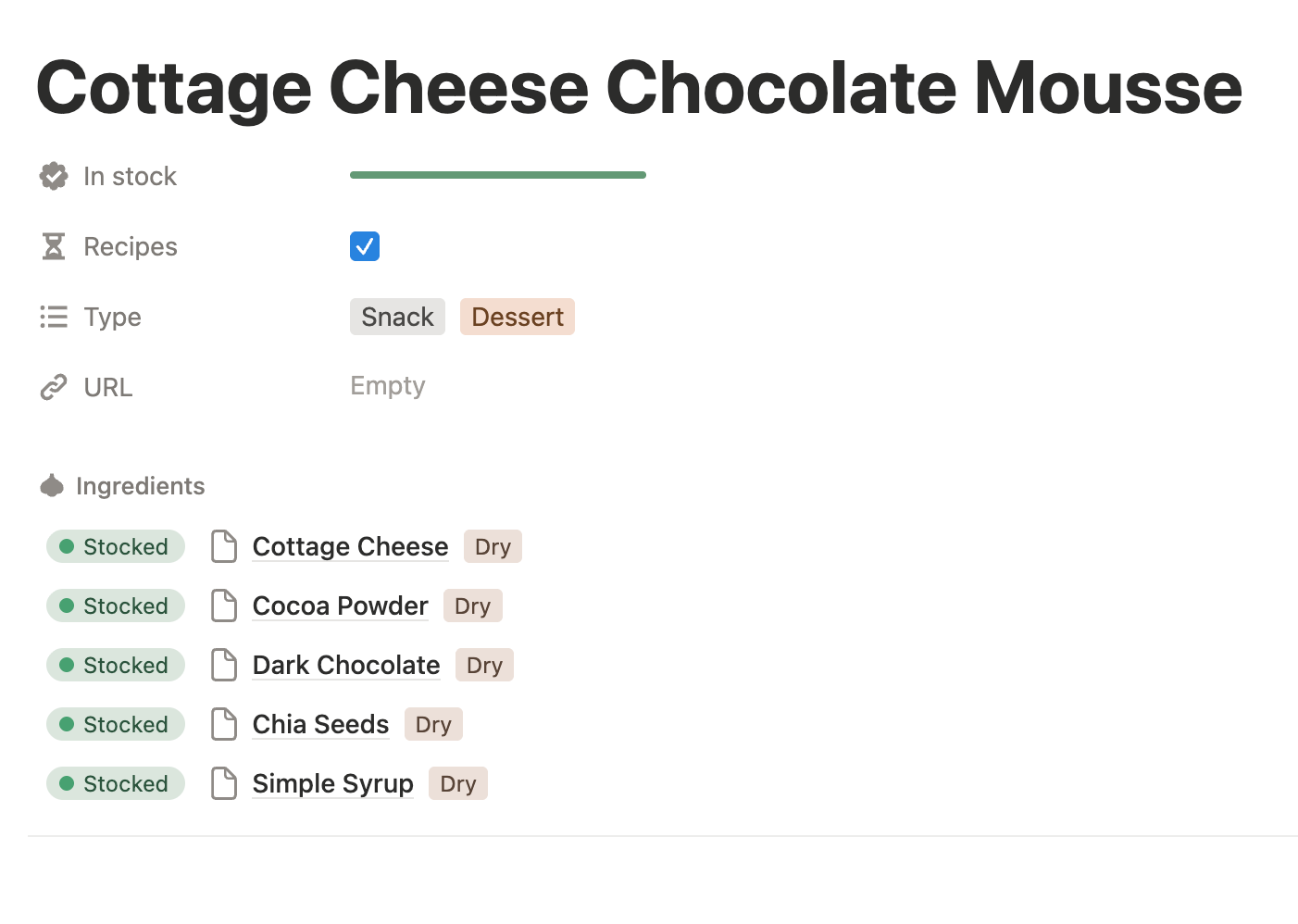
Inside each recipe card is a spot for:
the percent of items in stock
whether it's included in this week's meal plan
the type of recipe it is
an ingredients selector
a link to the original blog
measurements and instructions so you can avoid scrolling through 8,000 ads and Jenny’s life story on her blog as much as possible.
There’s also a unit converter built in because I got tired of doing that math in my head when Notion was already open.
If dinner has been stressing you out, this is a small thing that makes a real difference.
It’s free. Click the link below, duplicate it into your own Notion, and it’s yours.
I have (will have, if you’re reading this before April 22) a short explainer on my TikTok, but if you want something more in-depth, leave a comment, and I will start on a longer video walk-through.
Rooting for you,
Raya